
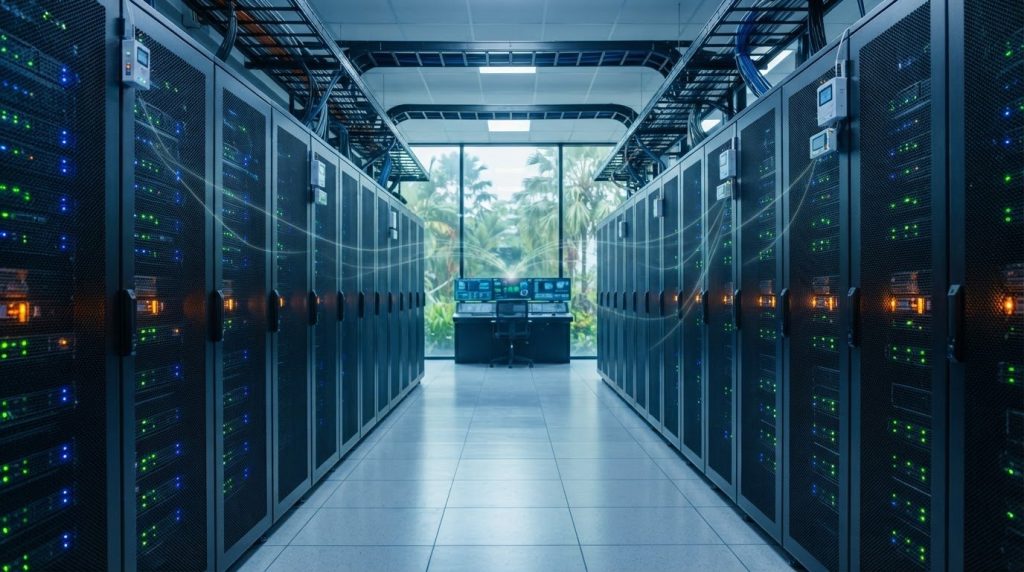
Smart rack environment monitoring gives teams visibility into conditions close to IT equipment. A room’s temperature may look acceptable while conditions near a heavily loaded rack differ from the facility’s operating target. Room-level monitoring remains essential for managing facility systems, while rack-level readings add local detail that can help operators decide where to investigate.
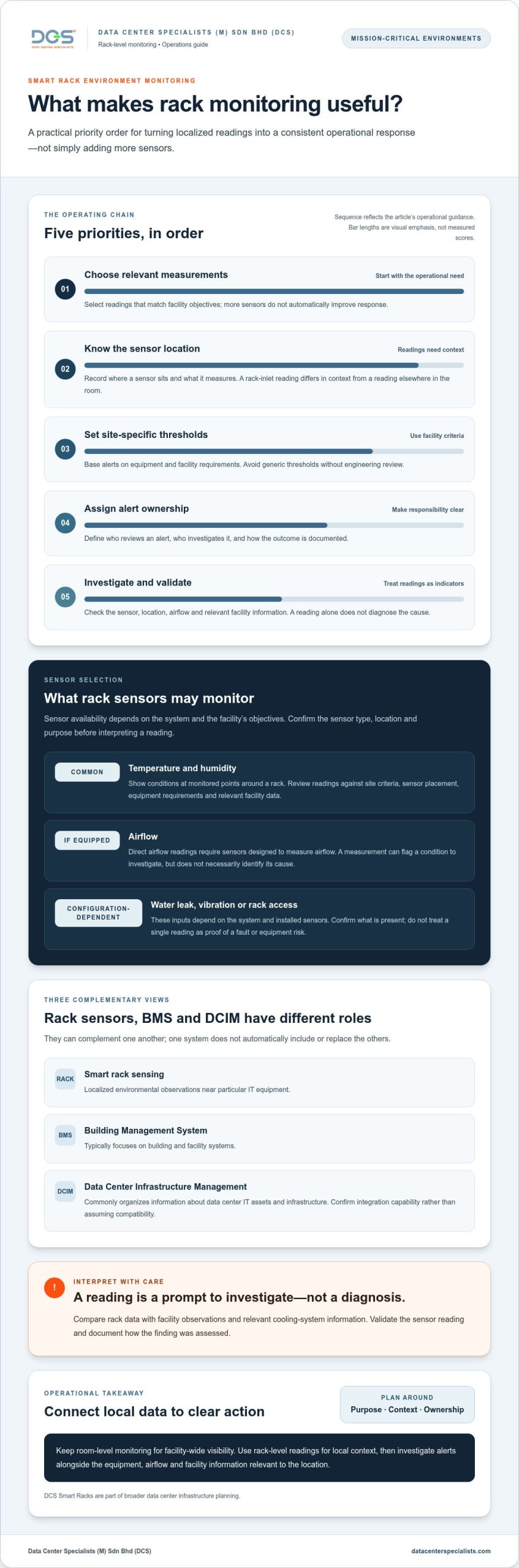
More sensors do not automatically improve response. Useful monitoring starts with choosing relevant measurements, setting thresholds against equipment and facility requirements, and assigning responsibility for investigating each alert. This FAQ explains what rack monitoring can measure, how to interpret alerts, and how it can work alongside BMS and DCIM systems.
You’ll also find practical considerations for planning monitoring around facility risks and operating procedures, from temperature and humidity to airflow and water-leak detection. The aim is to connect rack-level data to day-to-day operations and wider infrastructure planning, including the role smart racks can play in a mission-critical environment.
Key Takeaways
- Use rack-level readings to understand conditions near IT equipment, while retaining room-level monitoring for facility-wide visibility.
- Smart rack environment monitoring can help teams track relevant conditions, but readings are indicators to investigate, not diagnoses.
- Define the separate roles of rack sensors, BMS and DCIM so monitoring data supports the right operational decisions.
- Set alert thresholds against facility criteria, validate sensor readings and assign clear ownership for response.
- Assess monitoring against operational objectives, including configuration, maintenance and integration with existing systems.
What Is Smart Rack Environment Monitoring in a Data Center?
Smart rack environment monitoring collects and displays environmental readings at or near a data center rack, giving teams more visibility into conditions around IT equipment. The measurements depend on the sensors selected and the monitoring system. A rack may provide readings for some conditions but not others, so confirm what each sensor measures and where it is located.
Room sensors and facility systems show broader conditions, such as the environment across a data hall or around cooling equipment. Rack-level readings add local context and can help teams identify where to investigate. They do not explain the cause of a reading on their own. Used together, these monitoring levels give teams different views of the same operational environment.
For a practical illustration of rack sensor management, watch this overview:
How does rack-level monitoring differ from room-level monitoring?
Room-level monitoring helps facilities teams understand broad environmental conditions and cooling-system performance. Rack-level monitoring focuses on conditions at particular points near equipment, which can reveal differences that a room-wide reading may not show. If an alert flags an unusual reading near one rack, teams can investigate that location alongside the equipment, airflow and facility data relevant to it. Neither view answers every question on its own. The right combination depends on the facility layout, equipment and operating objectives.
Who uses smart rack monitoring data?
Operations teams can use readings for routine awareness and alert investigation. Facilities and engineering teams can review them alongside cooling-system information and other observations when assessing a condition. Managers can use records to review trends, operational risks and how response procedures are followed. Define who reviews each alert, who investigates it and how the outcome is documented. Without clear ownership, additional readings may not lead to a consistent response.
Monitoring is most useful when its purpose, location and ownership are clear. A data platform may bring sensor information together with other infrastructure records; Data Center Infrastructure Management (DCIM) provides a general overview of this management context. Do not assume every rack system connects to every platform. Plan around operational needs and consider how rack design fits the wider facility. Data Center Specialists supplies and implements DCS Smart Racks as part of broader data center infrastructure planning.
Which Environmental Conditions Can Smart Rack Sensors Monitor?
Temperature and humidity are common categories in smart rack environment monitoring, but the sensor set depends on the system and facility objectives. Readings can help teams spot conditions that need review against site-specific operating criteria. By themselves, they do not establish whether equipment is operating safely or explain why a condition has changed.
A reading is useful when teams know where it was taken and what equipment and operating conditions surrounded it. For example, a temperature reading near a rack inlet has a different context from one taken elsewhere in the room. Sensor placement, condition and surrounding airflow all affect how the result should be interpreted.
What can temperature and humidity readings tell operators?
Temperature readings show how conditions vary at monitored points around a rack. Humidity readings provide information about moisture conditions in the same area. If a reading moves outside the facility’s established criteria, investigate it in context, considering sensor location, equipment requirements and relevant facility data. Avoid applying generic thresholds without engineering review. ASHRAE’s environmental guidance for data centres can inform that review; operating limits should still reflect the applicable equipment and facility requirements.
Can rack sensors identify airflow or other environmental issues?
A system can provide direct airflow readings only if it includes sensors designed to measure airflow. Even then, a measurement is an observation, not a diagnosis. It may signal a condition to investigate, but it will not necessarily identify the cause. Compare rack data with facility observations and relevant cooling-system information to assess what is happening.
Other inputs depend on the system. A configuration might include water-leak detection or, where suitable sensors are installed, information about vibration or rack access. For comprehensive facility oversight during physical alerts or access events, teams can explore Security Camera systems to verify conditions on-site. Check which sensors are present, and do not treat a single reading as proof of contamination, a cooling fault or equipment risk. Those conclusions require investigation and engineering assessment.
Use readings as part of a wider operational picture. Confirm each sensor’s location and purpose, review trends alongside facility data, and document how findings are assessed. For teams planning rack-level infrastructure as part of a broader facility approach, explore DCS Smart Racks.
How Does Rack Monitoring Fit with BMS and DCIM Systems?
Rack-level sensing, a Building Management System (BMS) and Data Center Infrastructure Management (DCIM) provide different operational views. Smart rack environment monitoring adds localized environmental observations. A BMS typically focuses on building and facility systems, while DCIM commonly organizes information about data center IT assets and infrastructure. These functions can complement one another, but one system does not automatically include or replace the others.
What is the difference between rack monitoring, BMS, and DCIM?
The distinction is mainly the source and scope of the data. These examples are illustrative; actual system functions vary by facility and configuration.
| Data source | Typical view | Illustrative operational use |
|---|---|---|
| Rack sensors | Readings from monitored points at or near a rack | Review local conditions and identify where further investigation may be needed |
| BMS | Facility equipment and building-system information | Monitor facility-system status and support facility operations |
| DCIM | Data center IT assets and related infrastructure information | Organize and review information about the IT environment |
A localized reading can add context to a broader facility view or an IT-infrastructure record. For example, teams might compare a rack observation with relevant facility-system data during an investigation. That comparison supports assessment but does not establish a cause on its own. For broader rack selection considerations, refer to Data Center Smart Rack Solutions: A Buyer’s Guide for 2026.
What should teams consider before connecting monitoring systems?
Begin by defining why systems should connect and how teams will use the resulting information. Map the source of each reading, decide which system owns the record, and document how alarms will be routed and acknowledged. These decisions help prevent unclear responsibilities and duplicate or overlooked alerts.
Then assess the actual equipment interfaces and configuration. Protocols such as SNMP or Modbus may be relevant, but their mention does not establish compatibility. Validate support across the specific devices and platforms, including which data can be exchanged and how it will be interpreted. Test the configured data flow before relying on it for operational decisions.
Consider rack selection and monitoring together with wider infrastructure requirements. Data Center Specialists supplies and implements DCS Smart Racks as part of data center infrastructure planning.
How Should Teams Set Up and Respond to Smart Rack Alerts?
Effective smart rack environment monitoring starts with an operating purpose, not a default alert setting. Decide which conditions the team needs to observe, which decisions the information should support, and who is responsible for acting on it. Build the response process around validated readings and site-specific criteria.
Monitoring works best when readings are validated, alert ownership is clear, and each alert leads to a defined response or documented review. A practical setup sequence is:
- Define the purpose. Identify the operational question the monitoring should answer.
- Map sensor locations. Record which rack and monitored area each sensor represents.
- Validate readings. Review sensor data during commissioning or operational checks, and investigate readings that do not align with other observations.
- Assign ownership. Specify who receives alerts, who investigates them and how escalation works.
- Review outcomes. Record actions taken and examine recurring alerts for possible configuration or operational issues.
Where should sensors be placed and validated?
Base placement on the monitoring objective, rack layout and conditions the team intends to observe. A sensor’s location affects how its reading should be interpreted, so document the rack and measurement point. During commissioning or operational review, compare readings with relevant facility observations and criteria. Do not assume a standard sensor count, spacing or calibration interval applies to every installation.
How can teams reduce alert noise and improve response?
Set thresholds against facility operating criteria and engineering review, rather than copying generic values. Set alert severity according to the site’s response plan, and define who acknowledges, investigates and escalates each category. Document the reading, review and action so teams can track unresolved alerts and recurring patterns.
Routine review can help determine whether repeated alerts reflect a persistent environmental condition, a sensor or configuration issue, or an unclear response process. Avoid silencing recurring notifications without understanding the cause. Review trends alongside relevant operational information, and adjust alert logic through the facility’s established technical governance.
Keep the response process current as rack layouts, equipment and operating conditions change. Ongoing infrastructure review can help teams assess whether monitoring practices and maintenance procedures remain aligned. Data Center Specialists provides data center maintenance services to support maintenance planning for mission-critical facilities.
When Should a Data Center Consider Smart Rack Environment Monitoring?
Consider rack-level monitoring when it addresses a defined operational need, not simply because additional sensors are available. The decision depends on what teams need to see, how existing facility systems support that visibility, and whether staff can respond to the information. Smart rack environment monitoring can add useful detail, but it supports engineering decisions rather than replacing facility controls or technical assessment.
Which operational conditions may justify rack-level visibility?
Additional rack-level visibility may be worth assessing when equipment layouts change, teams need to investigate conditions affecting a particular area, or different zones have distinct operational requirements. For example, a room-level reading may not answer a question about a specific rack location. First identify the information gap and determine whether rack-level data could help address it.
Consider the project context as well as the monitoring objective. During planning or installation, define which racks and conditions are in scope, how readings will be reviewed, and how monitoring fits with existing facility systems. A clear scope helps prevent collecting information without a defined operational use. If your facility is also working to optimize power usage and decarbonise infrastructure, visit Ethernetics to explore specialized energy-saving solutions.
How can operators evaluate a smart rack approach?
Assess the proposed approach against practical operating requirements. Establish:
- Monitoring objectives: What decisions or investigations should the data support?
- Measured parameters: Which conditions need visibility, and where should they be observed?
- System compatibility: How will data be accessed or shared, and has compatibility been validated for the actual equipment and configuration?
- Response ownership: Who reviews alerts, investigates findings and records actions?
- Ongoing review: How will teams maintain the monitoring setup and assess whether it remains useful as operations change?
Include configuration, integration, sensor validation and response procedures in the assessment. A system that generates readings without clear ownership or a review process can add operational workload without providing useful insight. Monitoring should remain one part of the wider infrastructure approach, alongside facility controls and engineering review.
Data Center Specialists supplies and implements DCS Smart Racks for mission-critical facility environments. For a discussion about rack requirements and how they fit your facility plans, explore DCS Smart Racks.
Make Rack Monitoring Part of a Clear Operating Plan
Smart rack environment monitoring is most useful when it provides visibility teams need and connects readings to defined operational actions. Rack-level data complements room and facility monitoring; it does not replace engineering assessment, facility controls or a clear response process. Readings also need context, validation and ownership before they can support sound decisions.
Before expanding monitoring, define the conditions you need to observe, how information will fit existing systems, and who will review alerts and outcomes. Include configuration, ongoing maintenance and response responsibilities in the same plan. This helps teams focus on actionable information rather than generating alerts without a clear purpose.
Data Center Specialists supplies and implements smart rack solutions for mission-critical environments and provides related data center assessment and maintenance services. Explore DCS Smart Racks and discuss how rack solutions fit your facility requirements. Contact DCS to discuss your rack requirements and monitoring objectives.
Frequently Asked Questions
What does smart rack environment monitoring measure?
Smart rack environment monitoring commonly measures temperature and humidity at selected points near rack equipment. Depending on the system, it may also include airflow readings or other environmental inputs, such as water-leak detection. Confirm what each installed device measures and where it is located. Readings indicate conditions at that point; teams need operating context and engineering review to interpret them and decide whether action is required.
Why monitor conditions at the rack instead of only in the room?
Rack-level readings give teams localized information that room-level monitoring may not provide. Conditions can differ between monitored areas, so a room reading alone may not answer questions about a particular rack. Local data can help narrow an investigation and guide further checks. It complements rather than replaces room and facility monitoring, which remains important for understanding broader conditions and facility-system operation.
Can smart rack sensors integrate with a BMS or DCIM platform?
They may integrate, but compatibility is not automatic. It depends on the sensors, gateways, interfaces, platform capabilities and configuration. Protocols such as SNMP or Modbus may be relevant, but their presence does not establish that specific equipment can exchange usable data. Validate compatibility for the actual devices and systems, including how readings and alarms will be represented, routed and maintained before relying on an integration operationally.
How many environmental sensors does a data center rack need?
There is no single sensor count that suits every rack. Determine the number and placement from the monitoring objective, rack layout, equipment arrangement and conditions the team needs to observe. A focused monitoring plan may differ from one intended to compare conditions across several points. Document each sensor’s location and purpose, then validate readings during commissioning or operational review. Avoid adding sensors without a clear use for their data.
Do rack environmental sensors prevent equipment failures?
No. Sensors do not prevent failures or correct conditions that may contribute to them. They can provide information that helps teams notice a change and investigate it, provided readings are reliable and alerts receive an appropriate response. Treat monitoring as one part of operational risk management, alongside facility controls, maintenance and engineering assessment. A normal reading at one sensor location does not prove that conditions are acceptable throughout the facility.
How should operators respond to a smart rack monitoring alert?
Follow the facility’s documented response process. The assigned operator should review the reading, its location and trend, then compare it with applicable facility criteria and relevant system observations. Escalate according to alert severity and site procedures, investigate the condition, and record findings and actions. If readings appear inconsistent or the cause is unclear, validate the sensor and seek appropriate engineering review rather than dismissing the alert.
Is rack environment monitoring the same as DCIM?
No. Rack environment monitoring means collecting or viewing conditions at or near a rack. Data Center Infrastructure Management (DCIM) refers to a broader approach to organizing data center infrastructure information, which may include rack-level readings if the systems support that capability. A sensor system does not automatically constitute DCIM, and a DCIM platform does not necessarily include every rack sensor. Define each system’s role, data scope and responsibilities in the facility.