
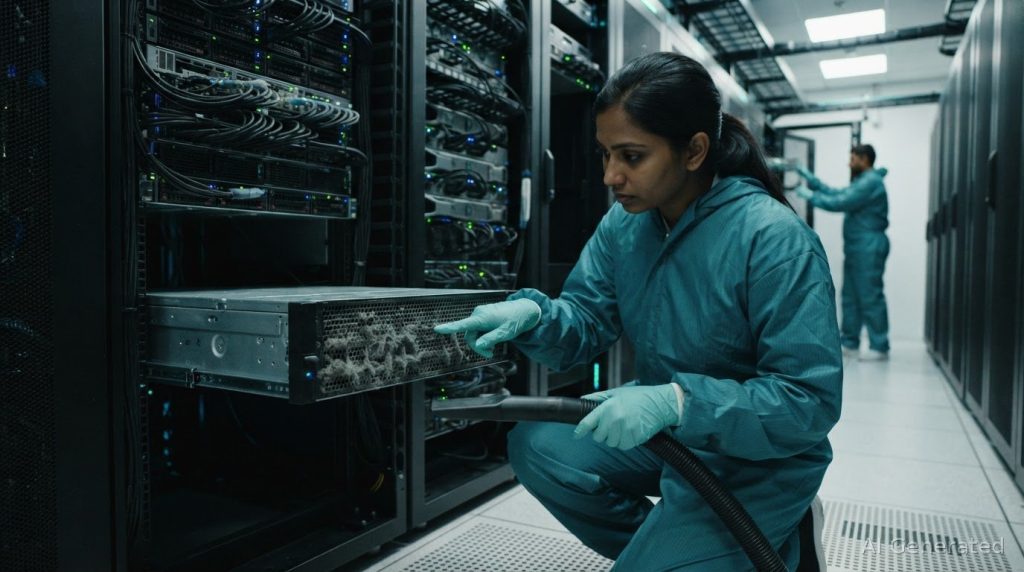
A warranty is not automatically lost across an entire system because dust is present, but cleaning-related damage can put coverage for affected hardware at risk. Understanding how poor cleaning habits can void hardware warranties starts with a distinction: manufacturers generally cover defects in materials or workmanship, while the specific warranty terms define exclusions and maintenance conditions.
It’s reasonable to expect a hardware warranty to provide protection when equipment fails. However, using an unsuitable cleaning method, allowing dust to restrict airflow, or missing required maintenance can complicate a claim if those conditions contributed to the fault. The outcome depends on the product’s terms and the component involved. Coverage for one part may be affected while other coverage remains.
For data center operators in Malaysia, the priority is to keep equipment intakes, rack areas, and surrounding spaces clean without introducing contamination or disturbing hardware. This article explains how dust buildup and restricted airflow may affect warranty claims, which components need attention, and why controlled, documented cleaning matters in mission-critical facilities.
Key Takeaways
- Warranty terms determine which maintenance conditions and exclusions apply, and coverage may be affected for a specific component rather than the entire system.
- Dust at equipment intakes and downstream components can contribute to contamination and restricted airflow, so cleaning methods matter as much as cleanliness.
- Use maintenance methods suited to the equipment; unsuitable tools or products can cause damage that complicates a warranty claim.
- Neglected cleaning can make it harder to distinguish a product defect from damage linked to maintenance or operating conditions.
- In data centers, controlled cleaning of rack areas and surrounding spaces helps manage contamination without treating mission-critical equipment like ordinary surfaces.
Keeping the intake housing and downstream components clean
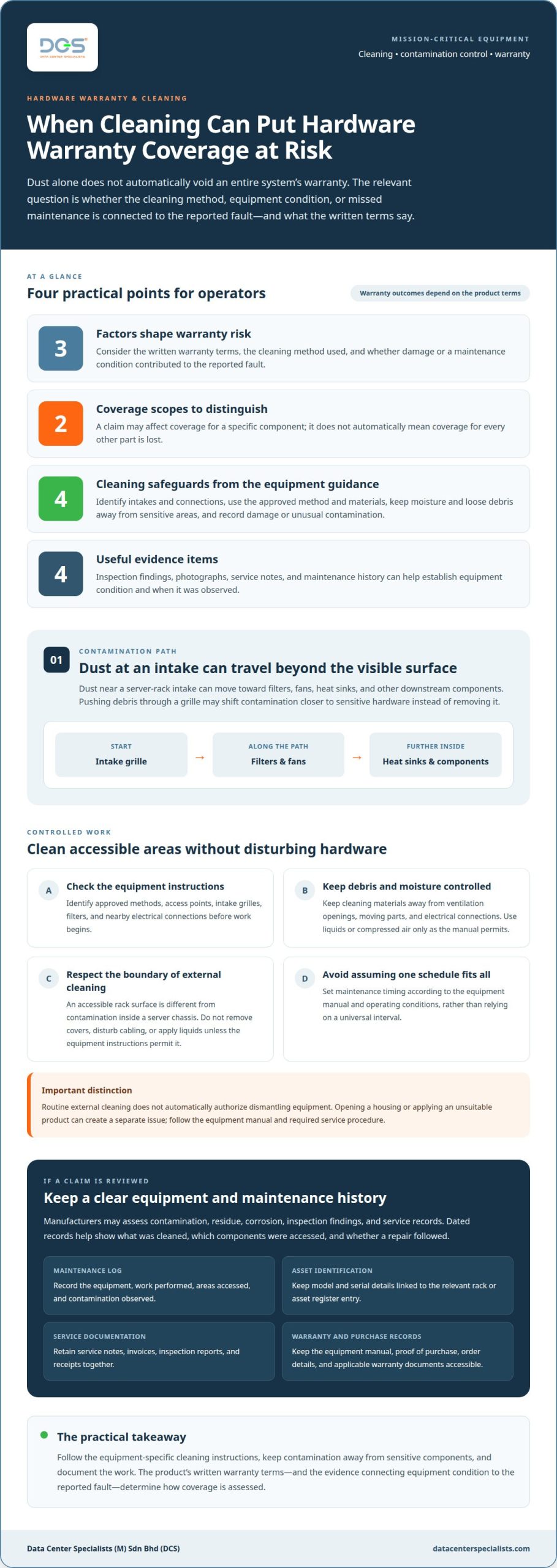
Consider the equipment intake first, then where displaced dust could travel. In a server rack, dust near an intake can move toward filters, fans, heat sinks, and other downstream components. Wiping debris into a grille may leave the surface looking cleaner while pushing contamination closer to sensitive hardware. Before work begins, use the equipment manual to identify approved cleaning methods and access points.
Keep cleaning materials away from ventilation openings, moving parts, electrical connections, and mounting surfaces. Loose debris or cleaning residue on a motor vent can restrict airflow, while contamination around a joint or connection can interfere with operation. Use appropriate cleaning methods and careful surface preparation to prevent contamination from reaching equipment components.
For data center equipment, distinguish external cleaning from work that requires opening a housing. Dust on an accessible rack surface is different from contamination inside a server chassis. Don’t remove covers, disturb cabling, or apply liquids unless the equipment manual permits it. If an intake grille or filter needs attention, follow the stated procedure and avoid forcing debris through the opening.
- Identify intake grilles, filters, and nearby electrical connections before cleaning.
- Use the method and materials specified in the relevant equipment manual.
- Keep moisture and loose debris away from vents and moving parts.
- Record any damage or unusual contamination found during the work.
Keep installation and service records alongside the equipment’s model and serial details. A dated maintenance log can show what was cleaned, which components were accessed, and whether a repair followed. Store service notes, invoices, inspection reports, and receipts together. If a warranty claim arises, these records help distinguish routine maintenance from a cleaning mistake or subsequent repair.
Store the original manual, proof of purchase, order details, and warranty documents in one place. Keep digital copies, too, with file names that include the equipment model or asset identifier. In a larger facility, link each record to its rack or asset register entry. This makes it easier to find the right instructions and purchase evidence without confusing similar components.
For facilities in Malaysia, consistent physical cleaning records can support contamination control across rack areas and surrounding spaces. A documented data center cleaning scope can identify the areas addressed and the methods used, helping operations teams maintain a clear service history alongside equipment manuals and warranty documents.
Warranty exclusions for dirt ingestion and neglected maintenance
Warranty terms explain how dirt ingestion, missed maintenance, and cleaning damage may affect coverage. Understanding how poor cleaning practices can affect equipment warranties starts with the link between the equipment’s condition and the reported fault.
Dirt Ingestion and Warranty Exclusions
Dirt ingestion occurs when dust or debris passes an intake and reaches internal components. If warranty terms require routine maintenance, accumulated contamination may matter when linked to a defect or failure. For example, dust packed around a cooling fan may indicate missed maintenance, but the product terms and claim evidence determine its significance.
Set maintenance schedules according to the equipment manual and operating conditions, rather than assuming one interval fits every system. Keep dated service records that identify the equipment, work performed, areas accessed, and contamination observed. These details help show whether maintenance followed the equipment’s requirements or whether the fault developed under different conditions.
Cleaning Damage and Warranty Evidence
Cleaning damage is harm associated with a cleaning method, such as residue near an electrical connection or debris pushed into an intake. A manufacturer may assess whether the reported fault relates to a product defect, misuse, or maintenance. Inspection findings, photographs, service notes, and maintenance history can help establish the condition and when it occurred.
Manufacturer and supplier warranties can differ in scope, claim process, and exclusions. The written terms for each determine whether cleaning damage or missed maintenance affects coverage. An additional warranty may have different conditions from the manufacturer’s, so keep both documents with the purchase records.
In practice, warranty risk depends on the cleaning method, any resulting damage, and the specific terms. Cleaning accessible fan assemblies may be routine maintenance, while opening a motor or applying an unsuitable product can create a separate issue. Follow the equipment manual, and don’t treat permission for routine external cleaning as permission to dismantle equipment.
Liquid cleaners or compressed air can damage equipment if they introduce moisture, leave residue, or force debris further inside. Use them only as the equipment manual permits. For data center equipment, follow the manufacturer’s cleaning instructions, and don’t open enclosures unless the manual allows it or the required service procedure calls for it.
To assess a claim, manufacturers may consider visible contamination, residue, corrosion, inspection findings, and service records. They compare those observations with the reported defect and the warranty exclusions. A maintenance log noting the cleaning method and date can help establish whether the condition existed before the fault.
For data center operators, a documented preventive maintenance approach connects equipment condition with cleaning and service history.
Examples of manufacturer warranty limitations
Manufacturer warranties for data center equipment primarily cover defects in materials or workmanship, not every kind of damage. A component that fails because of a factory defect is different from one damaged during cleaning. For example, a warranty may cover a defective server fan motor but exclude damage linked to liquid entering its housing. Read the terms for each product, since coverage and exclusions vary between manufacturers and models.
Filters illustrate a cleaning-related warranty limitation. Filter manufacturers may not warrant a heavy-duty filter after it has been cleaned. Cleaning can affect the filter’s condition, so washing or otherwise cleaning a replaceable element could remove warranty protection for that component. Follow the filter manufacturer’s instructions on whether an element can be cleaned or must be replaced.
Parts compatibility can affect a claim, even if cleaning did not cause the initial fault. An incompatible UPS module, power supply, or replacement part can damage equipment and give the manufacturer grounds to reject coverage related to that damage. For example, a non-approved power component installed during a repair could complicate a later claim involving a server’s power system. Keep the receipt and list replacement parts in service records.
Accidental damage is another common distinction in warranty terms. A manufacturer warranty generally covers defects, not damage from liquid spills or careless cleaning. If a technician finds residue inside a server after liquid was applied near its vents, that may be relevant to the claim. The manufacturer may assess the affected component rather than consider every part of the equipment uncovered.
Some warranty limitations concern maintenance conditions rather than a single cleaning event. A manual may specify approved cleaning methods, maintenance requirements, or circumstances that affect coverage. For example, an abrasive material could damage a coated equipment panel, while forcing debris into a server vent could affect downstream components. Recording the method, date, and equipment serviced helps explain what happened.
Keep the original manual, purchase receipt, and service history with the equipment’s model and serial details. These records help establish when the equipment was purchased and whether maintenance followed the manufacturer’s instructions. If a claim concerns one damaged part, the terms may distinguish it from unaffected components. Read the written exclusions carefully, and don’t assume one cleaning mistake automatically cancels every warranty on the equipment.
A manufacturer may assess the affected component separately. Follow the applicable equipment guidelines, store replacement products properly, and contact the manufacturer before repairs. Review the written terms for any restrictions on limited warranties.
Warranty conditions and exclusions
Opening equipment for cleaning can affect warranty coverage if the work damages a component or contributes to the reported fault. The written warranty and equipment manual determine the relevant conditions. Opening a housing does not, by itself, establish that every component has lost coverage.
A written warranty explains what the manufacturer covers, which exclusions apply, and how a repair or replacement is handled. Read the terms for the specific model, not a similar model from the same brand. For example, a server warranty may distinguish a factory defect from damage linked to contamination or an unapproved internal intervention.
Warranty coverage is not the same as insurance. A warranty generally addresses covered product defects, while an insurance policy may cover specified accidental events. If cleaning damages equipment, the warranty exclusions and the relevant insurance policy have separate terms and claim requirements.
Some warranties treat individual components differently. If cleaning damages a connector but an unrelated control fault later appears, the manufacturer may assess those issues separately. This matters when a claim concerns a particular part: a limitation affecting the connector does not necessarily determine coverage for every other component.
Keep records that connect the equipment to its maintenance history. A useful entry identifies the model, serial number, date of work, cleaning method, person who performed it, and any fault noticed afterward. Attach service notes and receipts where applicable. For example, a record stating that a rack exterior was wiped without opening equipment clarifies the scope of the work.
Check warranty registration requirements in the written terms and confirm them with the manufacturer or authorised service provider. Keep the receipt and purchase details regardless, as they can help identify the equipment and support a claim.
Before internal cleaning, compare the proposed work with the manufacturer’s manual and written warranty. If the manual restricts access to a sealed assembly or electronic control, opening it may lead to a dispute if damage follows. A replacement part or third-party repair can also affect a later claim when the warranty links an exclusion to that alteration.
For mission-critical equipment, don’t treat a warranty as permission to experiment with cleaning methods. Document the condition before work, follow the equipment-specific procedure, and record any intervention. This gives owners a clear account of what changed, which components were touched, and whether the reported defect existed beforehand.
Dust buildup and restricted airflow
Dust can obstruct equipment intakes, filters, and exhaust paths, reducing airflow available to remove heat. In a server rack, contamination on an intake grille may restrict incoming air, while dust around an exhaust path can impede discharge. These conditions can affect operation and may matter to a warranty claim if they contribute to a reported fault.
Restricted airflow presents a different risk from visible dust on an external panel. A filter loaded with particulate matter may limit air movement, while dust around heat sinks can interfere with heat transfer. This condition does not automatically prove a warranty exclusion, but the manufacturer may consider it alongside the fault, maintenance history, and written terms.
For data center operators, trace airflow from the room to the equipment. Consider supply openings, rack fronts, equipment intakes, exhaust areas, and nearby floor or overhead spaces. Dust beneath a raised floor, for example, may matter if disturbed particles reach equipment intakes. A clean-looking rack exterior alone does not show whether these adjacent areas are controlled.
Cleaning should remove contamination without redistributing it into the airflow. Avoid dry wiping that sends settled dust toward an intake, and don’t use a method that pushes debris through a grille. Protect nearby equipment during work, and record where contamination was found and its condition. The maintenance record can help explain whether dust was present before a fault or appeared after another event.
Warranty terms matter because conditions vary by product and manufacturer. Some address maintenance or damage caused by improper cleaning; others focus on defects in materials or workmanship. Read the original manual and warranty together, then keep service records with any claim. These documents clarify approved cleaning methods and can help distinguish a defect from a maintenance-related condition.
For operational data centers, a qualified assessment can examine contamination and airflow conditions together. A data center air quality and airflow assessment can help identify where particulate contamination and restricted paths need attention. Findings can inform cleaning scope and help facility teams document conditions around racks and other equipment.
Do not treat a warranty claim as a substitute for controlling known contamination. If a filter, intake, or exhaust path appears obstructed, record the observation and address it through the site’s approved maintenance process. For a technical discussion about airflow conditions in a mission-critical facility, contact Data Center Specialists.
Data Center Specialists (M) Sdn Bhd (DCS)
Data Center Specialists (M) Sdn Bhd (DCS) helps data center operators address contamination and airflow conditions that can affect facility environments. Its work supports a documented approach to cleaning, equipment surroundings, and environmental conditions, rather than treating a dust-related concern as an isolated surface-cleaning issue.
DCS’s Professional Data Center ISO Cleaning Service addresses contamination across data center floors, hardware, overhead systems, under-floor plenums, and ceiling areas. Data Center Energy Assessment and Testing, Adjusting & Balancing (TAB) address energy performance and HVAC airflow, pressure, and temperature. These services suit different operational concerns, from cleaning scope to facility performance and system balance.
For a technical discussion about cleaning and contamination control in your facility, contact Data Center Specialists (M) Sdn Bhd (DCS).
Make warranty-aware maintenance part of operations
Make cleaning guidance a defined part of equipment governance. For each asset, align maintenance responsibilities with its operating procedures, warranty conditions, and service records. This gives facility teams a consistent basis for managing cleaning across racks and supporting infrastructure. Understanding how poor cleaning habits can void hardware warranties helps make those decisions part of operational risk management, rather than an afterthought after a fault.
Data Center Specialists (M) Sdn Bhd (DCS) offers Professional Data Center ISO Cleaning Services, Data Center Energy Assessment, and Testing, Adjusting & Balancing (TAB). These services address physical contamination, energy performance, and system balancing in mission-critical facilities. Choose the next step according to the concern: cleaning scope, facility energy performance, or system balance.
For a technical discussion about your facility’s requirements, contact Data Center Specialists (M) Sdn Bhd (DCS). A clear maintenance approach can help your team make informed decisions and support dependable operations.
Frequently Asked Questions
How should data center operators assess a cleaning-related service proposal?
Review the proposed scope, work method, equipment, contamination controls, safety procedures, and provisions for protecting live operations. Confirm that the proposal identifies the areas to be cleaned, such as equipment spaces, raised floors, underfloor plenums, and overhead surfaces. Ask how the provider will document work completed and report any observed issues. The method should suit the facility’s operating conditions and requirements.
What should a data center cleaning scope cover?
A suitable scope may cover contamination in equipment and rack areas, raised access floors, underfloor plenums, and overhead surfaces. The specific work depends on site conditions, access, operational constraints, and the source of contamination. Discuss how the provider will manage dust and debris, protect equipment, and control the risk of contamination spreading during cleaning. Agree on boundaries and any areas that require restricted access before work begins.
How can operators plan cleaning in a live data center?
Plan the work around facility operating requirements, access controls, and coordination with the data center operations team. Before work begins, agree on the areas, schedule, work method, and steps for protecting equipment and maintaining contamination control. Consider the condition of the space and the nature of the contamination when deciding whether work should be phased. Document the work performed and any issues identified for follow-up.
How often should a data center be professionally cleaned?
There is no single cleaning frequency suitable for every facility. Operators can determine an appropriate schedule by considering contamination levels, site conditions, construction activity, operational changes, and the facility’s maintenance requirements. Regular inspection can help identify areas that may need attention, including raised floors and underfloor plenums. Use the findings to review the cleaning plan and adjust it when conditions change.
What should operators provide when requesting a data center cleaning assessment?
Provide information about the facility areas of concern, known contamination sources, access and operational constraints, and any relevant maintenance records or inspection findings. Clarify whether the site is operational, under construction, or preparing for commissioning, and identify any requirements for coordinating work with facility teams. This information helps the provider discuss an appropriate scope, work method, and schedule. Keep records of the assessment and agreed actions.